Install the app
Add Hanzi Path to your home screen and it opens full-screen with its own icon, just like an app. Your progress stays on the phone, and syncs if you sign in.
iPhone & iPad (Safari)
- 1
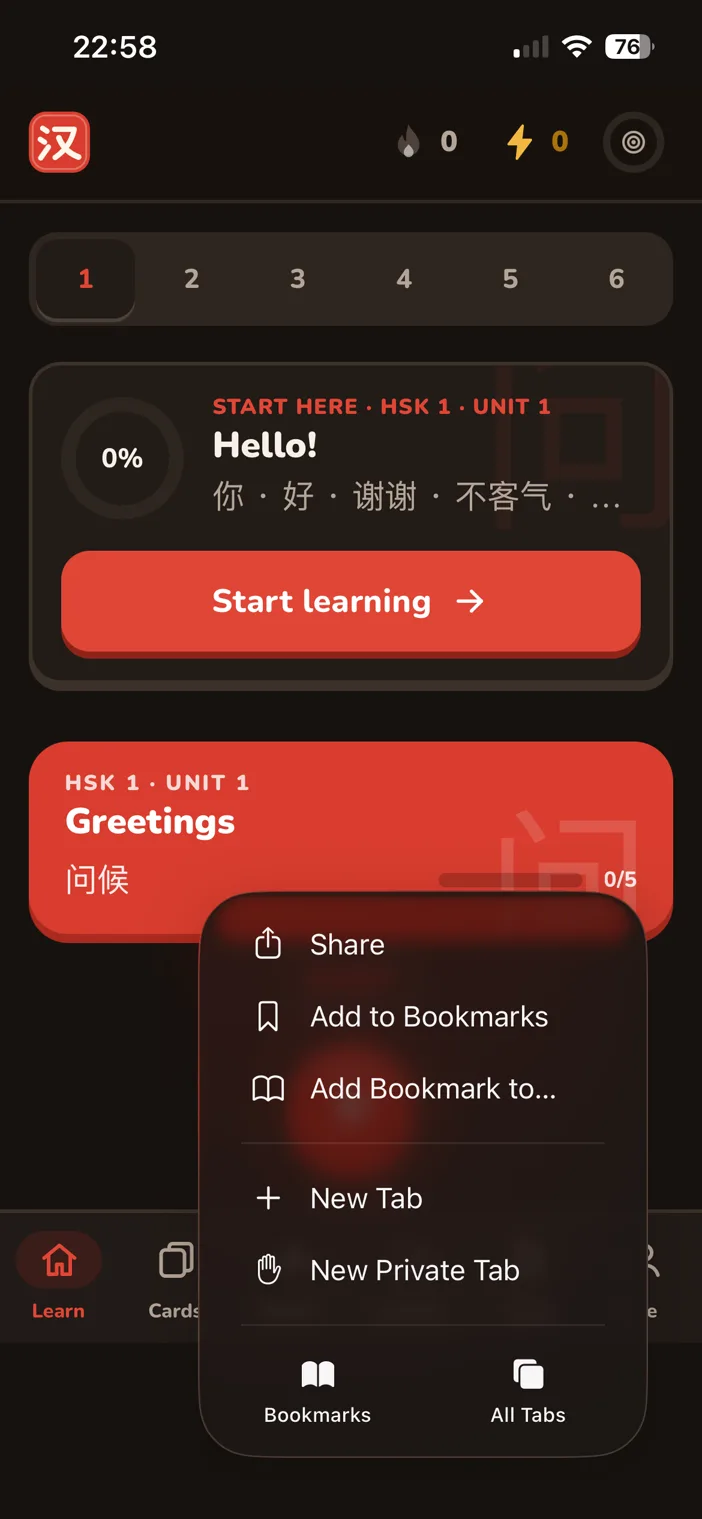
Open the Share menu
In Safari, open quanbu.app, tap the ••• button next to the address bar, then tap Share.
- 2
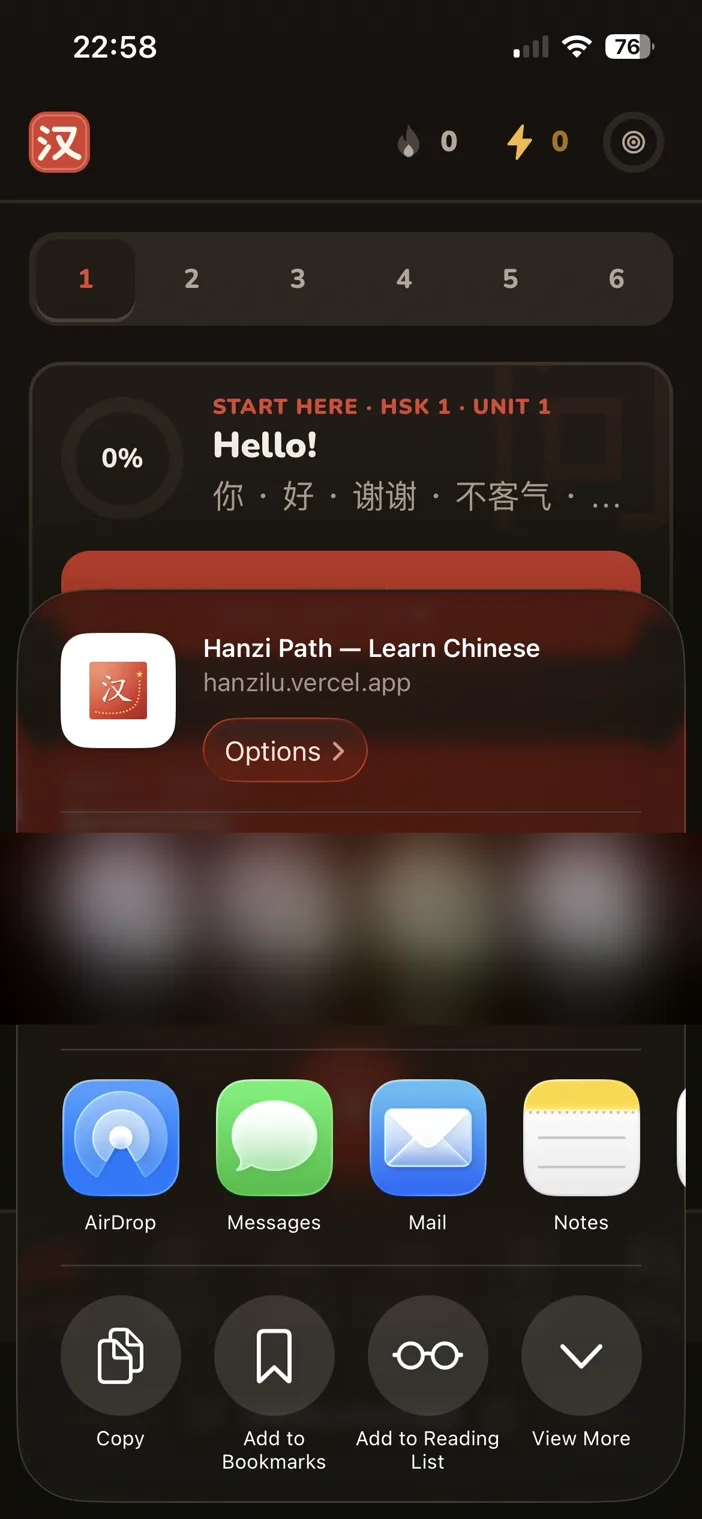
Show more options
In the share sheet, tap View More to see the full list.
- 3
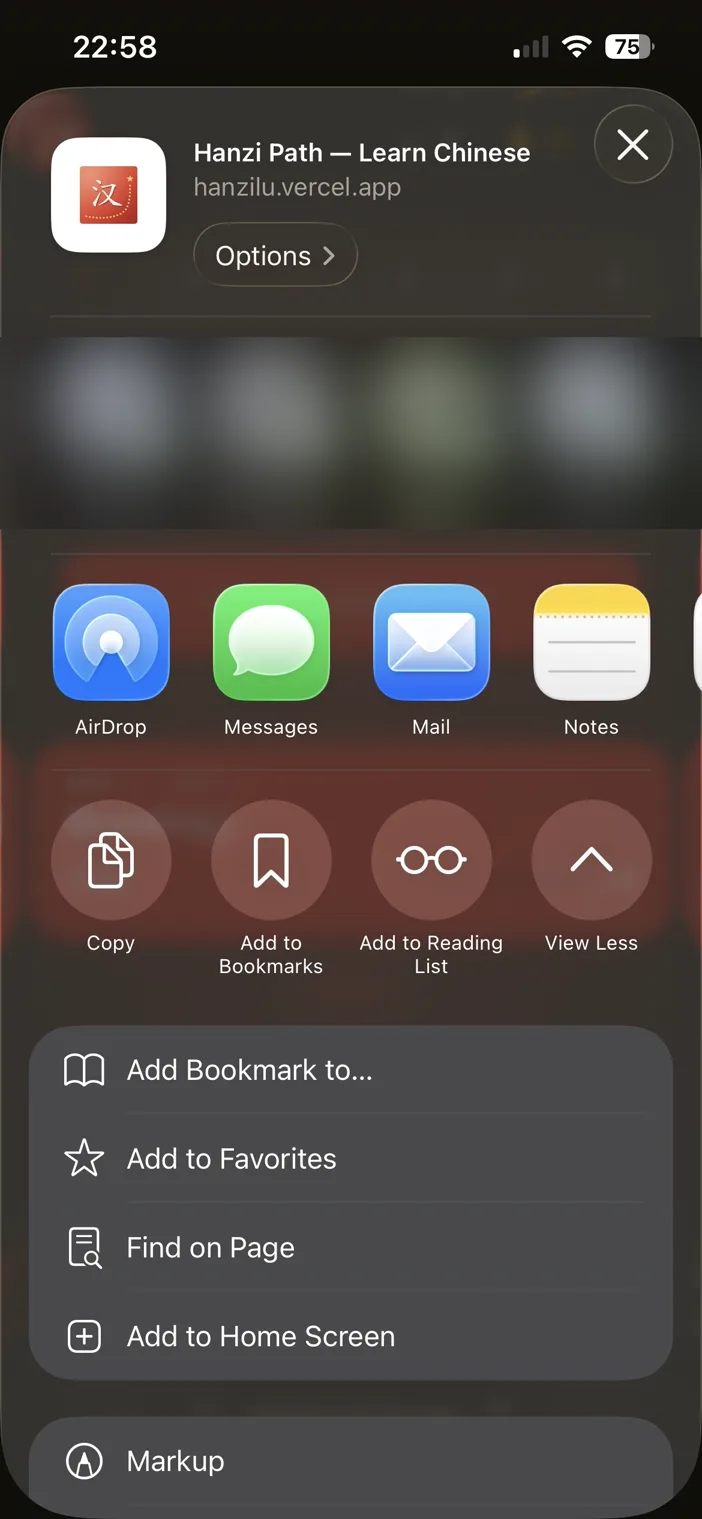
Add to Home Screen
Scroll if needed and tap Add to Home Screen.
- 4
Keep “Open as Web App” on, then Add
Leave Open as Web App switched on so it opens full-screen without Safari's bars, then tap Add.
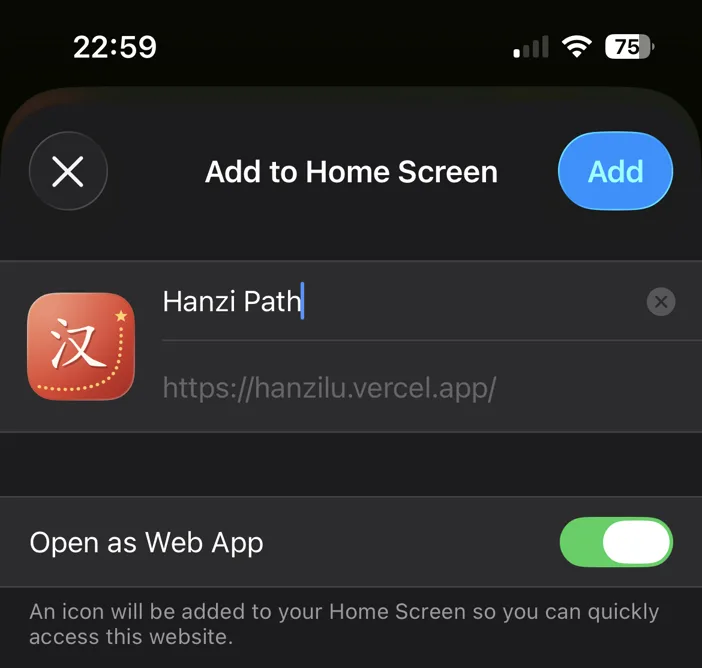
Done! Look for the red 汉 icon on your home screen.
Android (Chrome)
- Open quanbu.app in Chrome.
- Tap the ⋮ menu at the top right.
- Tap Install app (or Add to Home screen) and confirm.
Computer (Chrome or Edge)
- Open quanbu.app.
- Click the install icon at the right end of the address bar (a screen with a down arrow).
- Click Install. It opens in its own window and appears with your other apps.